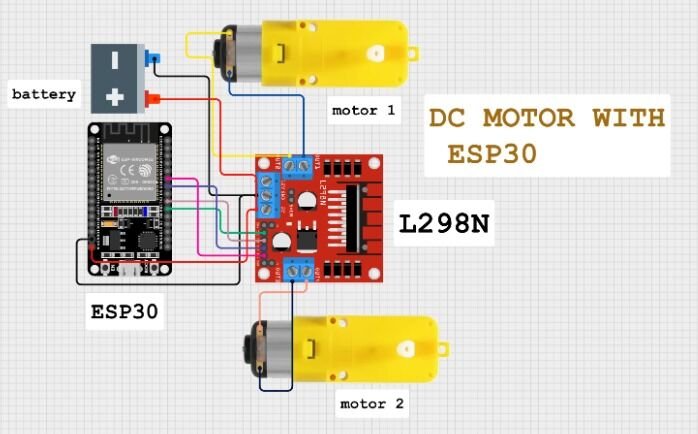
Connect battery pack positive to +12V terminal on L298N.
Connect battery pack negative to GND on L298N.
Remove the jumper on L298N between +12V and 5V(important! Use external 5V for ESP32).
Use buck converter (recommended) to step down 11.1V to 5V and power ESP32 through 5V and GND.
✅ L298N to Motors:
Connect:
Motor A terminals (OUT1 & OUT2) to Left motor.
Motor B terminals (OUT3 & OUT4) to Right motor.
✅ L298N to ESP32 (Control Pins):
ESP32 GPIO
L298N IN Pin
GPIO 16
IN1
GPIO 17
IN2
GPIO 18
IN3
GPIO 19
IN4
HOW TO OPERATE BOT
#include<BluetoothSerial.h>#include<L298NX2.h>#defineLED_BUILTIN 2//-------------L298---------------------------------------------------// motor 1 settings#defineENA 4 // this pin must be PWM enabled pin if Arduino board is used#defineIN_1 16 //rx2#defineIN_2 17 //tx2// motor 2 settings#defineENB 5 // this pin must be PWM enabled pin if Arduino board is used#defineIN_3 18 //d18#defineIN_4 19 //d19//L298NX2 mybot(IN_1,IN_2,IN_3,IN_4); //for full speedL298NX2 mybot(ENA, IN_1, IN_2, ENB, IN_3, IN_4); //for speed//---------BT--------------------BluetoothSerial EspBT;//------Bluetooth RC Controller Define ----#defineback_light 21 //D21#definefront_light 22 //D22#definehorn_Buzz 26 //D26char bdata; //for bluetooth command storevoidsetup(){Serial.begin(9600);Serial.println(F("init"));EspBT.begin("BT_MSKCAR2025_01"); //custom pins for light and buzzerpinMode(LED_BUILTIN, OUTPUT);pinMode(back_light, OUTPUT);pinMode(front_light, OUTPUT);pinMode(horn_Buzz, OUTPUT); //testingmybot.setSpeed(100);mybot.forward();delay(100);mybot.stop(); //test done}//-----------------------------------------voidloop(){while(EspBT.available()>0){ bdata =EspBT.read();Serial.println(bdata);//make condition based on BLE dataswitch(bdata){case'F':Serial.println("Forward");mybot.forward();break;case'B':Serial.println("Reverse");mybot.backward();break;case'L':Serial.println("Left");mybot.forwardA();mybot.backwardB();break;case'R':Serial.println("Right");mybot.forwardB();mybot.backwardA();break;case'S':Serial.println("Stop");mybot.stop();break;case'0':Serial.println("Stop");mybot.stop();break;case'3':Serial.println("LOW speed");mybot.setSpeed(100);break;case'5':Serial.println("Mid speed");mybot.setSpeed(150);break;case'9':Serial.println("Mid speed");mybot.setSpeed(255);break;}}}
IntroductionIn today's age of automation, controlling devices remotely has become increasingly popular. One of the most common applications is controlling... Read More
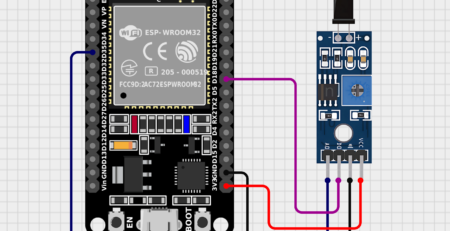
🤔 What is a Tilt Sensor?A tilt sensor (also called a ball switch or mercury switch) is a digital switch that changes its output based on orientation.... Read More
IntroductionThe ESP32 is a powerful and versatile microcontroller that has gained immense popularity in the IoT and embedded systems world.... Read More
08-06-2025🔧 Basic IntroductionL298N is a dual H-Bridge motor driver IC that allows controlling the direction and speed of two DC motors or... Read More
The Gravity Voice Recognition Module is a user-friendly module developed by DFRobot that allows microcontrollers like Arduino or ESP32 to recognize voice commands offline (without internet... Read More
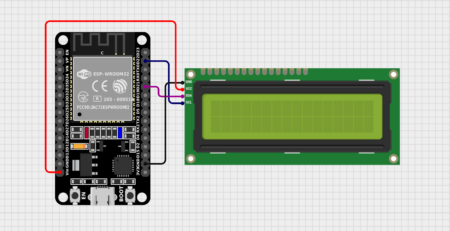
The SSD1306 is a popular controller used in OLED (Organic Light Emitting Diode) displays, most commonly found in small monochrome displays like 128x64 or 128x32 resolution screens. These displays are... Read More
IntroductionThe ESP32 is a powerful and versatile microcontroller that has gained immense popularity due to its low cost, high performance,... Read More
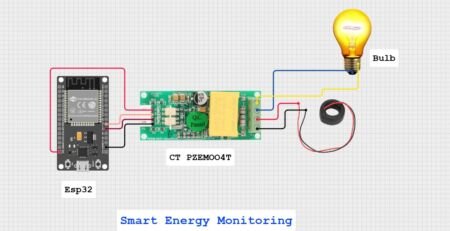
IntroductionWith the rise of IoT-based energy monitoring systems, measuring electrical parameters like voltage, current, power, and energy consumption has become... Read More





Leave a Reply
You must be logged in to post a comment.