ESP32 Telegram Bot LED Control: Turn LED ON and OFF Using Telegram

ESP32 Telegram Bot LED Control Using TelegramWant to control an LED from anywhere using your smartphone? In this project, we will build an ESP32 Telegram Bot LED Control system that allows you to turn an LED ON and OFF remotely using Telegram commands.The ESP32 connects to a Wi-Fi network and communicates with a Telegram Bot using the Telegram Bot API. Once connected, you can send commands such as /on, /off, and /status from Telegram.This is a simple but powerful IoT...

Read more...

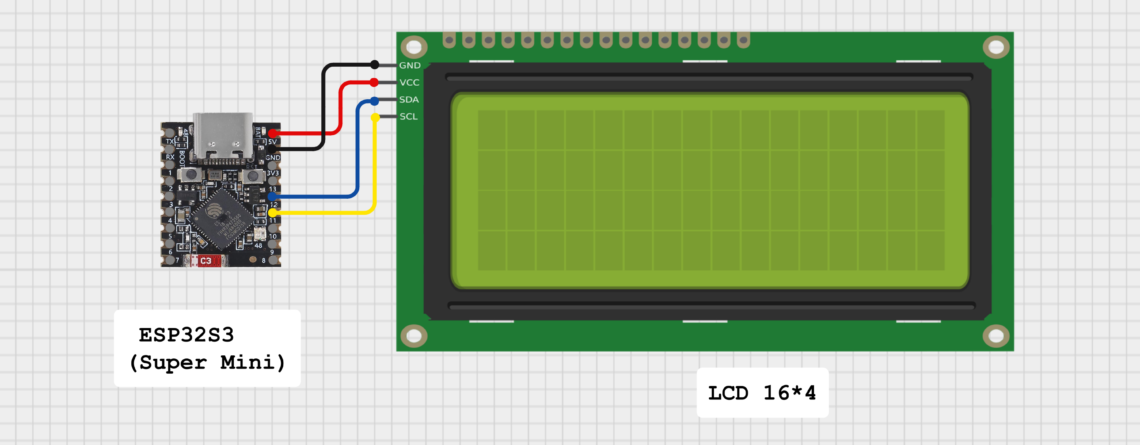
ESP32-S3 Super Mini with 16×4 I2C LCD

IntroductionThe ESP32-S3 Super Mini is a powerful compact development board based on the ESP32-S3 chip. It provides high performance, WiFi, Bluetooth Low Energy (BLE), low power consumption, and plenty of GPIO pins for IoT and embedded projects, making it ideal for the ESP32-S3 Super Mini LCD project. This ESP32-S3 Super Mini LCD project will allow you to build various applications. In this ESP32-S3 Super Mini tutorial, we will explore these applications in detailThis project is perfect for:IoT display projectsSensor monitoring...

Read more...

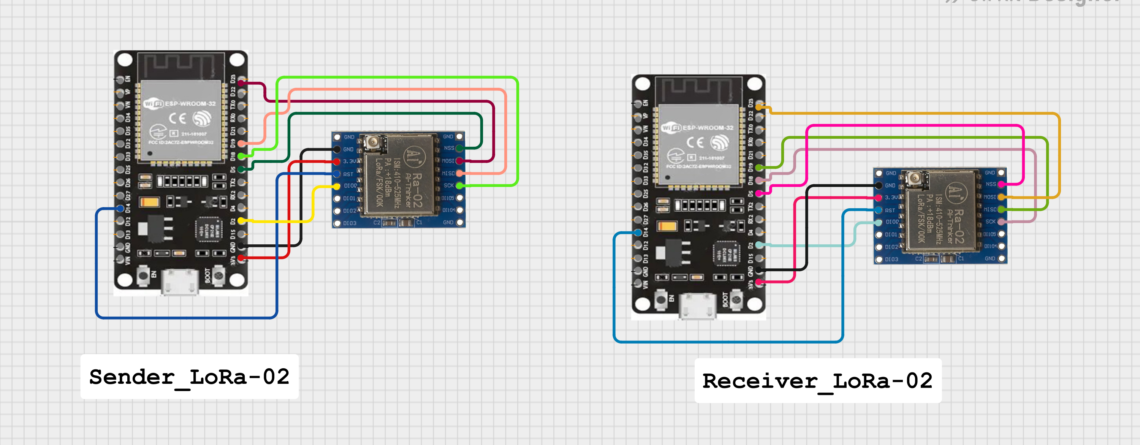
LoRa-02 SX1278 with ESP32: Complete Pinout, Wiring, and Long-Range Communication Guide

IntroductionLong-range wireless communication without internet, Wi-Fi, or cellular network is no longer a dream. Using the LoRa-02 SX1278 module with ESP32, you can transmit data up to 8–10 km using radio frequency (433 MHz) with extremely low power consumption.The ability to transmit data over 8–10 km opens doors for remote monitoring, smart agriculture, and many other applications where conventional connectivity options fall short.Imagine a world where devices can communicate over vast distances without relying on traditional networks. The LoRa-02 SX1278...

Read more...
arduino-training-serial-console-day5

What is Serial Communication in Arduino

What is Serial Communication in Arduino? Serial communication between the Arduino board and a computer or other devices. All Arduino boards have at least one serial port (also known as a UART or USART), and some have several.BOARD USB CDC NAME SERIAL PINS SERIAL1 PINS SERIAL2 PINS SERIAL3 PINSUno, Nano, Mini0(RX), 1(TX)Mega0(RX), 1(TX)19(RX), 18(TX)17(RX), 16(TX)15(RX), 14(TX)Leonardo, Micro, YúnSerial0(RX), 1(TX)Uno WiFi Rev.2Connected to USB0(RX), 1(TX)Connected to NINAMKR boardsSerial13(RX), 14(TX)ZeroSerialUSB (Native USB Port only)Connected to Programming Port0(RX), 1(TX)DueSerialUSB (Native USB Port only)0(RX), 1(TX)19(RX), 18(TX)17(RX), 16(TX)15(RX), 14(TX)101Serial0(RX), 1(TX)On Uno,...

Read more...
arduino-training-day4

Basic Functions of Arduino

Basic Functions of Arduino Configures the specified pin to behave either as an input or an output and other basic operation. pinMode() DescriptionConfigures the specified pin to behave either as an input or an output. See the Digital Pins page for details on the functionality of the pins.As of Arduino 1.0.1, it is possible to enable the internal pullup resistors with the mode INPUT_PULLUP. Additionally, the INPUT mode explicitly disables the internal pullups.SyntaxpinMode(pin, mode)Parameterspin: the Arduino pin number to set the mode of. mode: INPUT, OUTPUT, or INPUT_PULLUP. See the Digital Pins page for...

Read more...